Description
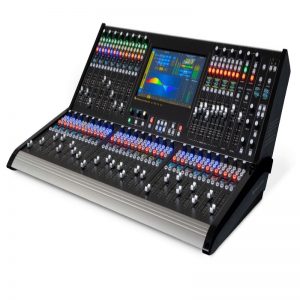
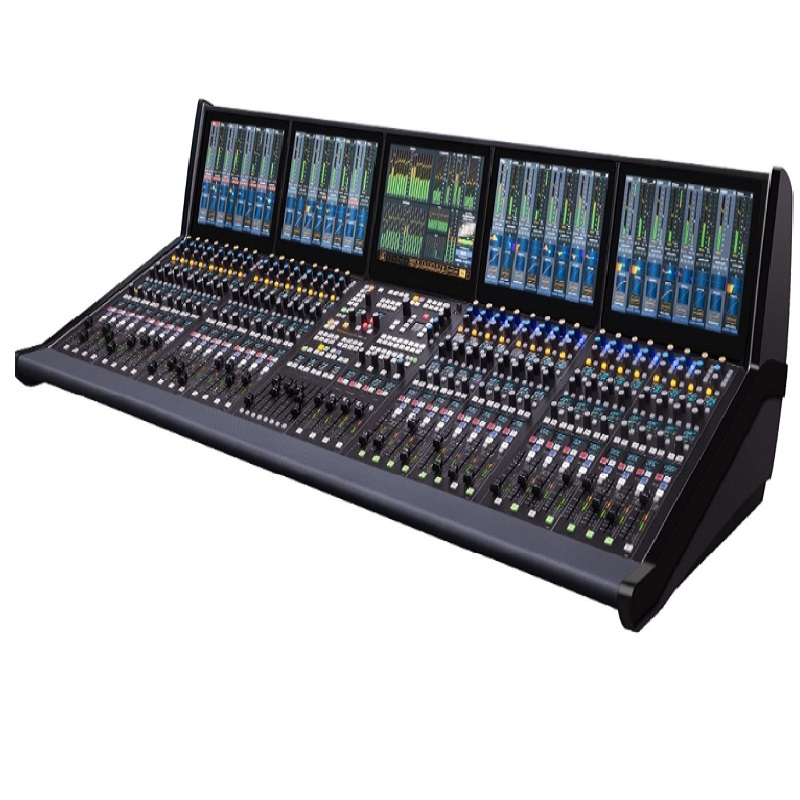
This digital mixing console features IP networking and a touchscreen interface that recognizes smartphone-style gestures. The Arcus large-format mixing console is a solid, intuitively laid out surface that’s easy to operate.
Arcus features a simple tabbed menu on a touchscreen panel, which eliminates a sea of knobs for basic functions such as setting talkback, configuring bus matrices, muting mic groups, and managing sources. The Arcus’ touchscreen interface that lets you use pinching and other familiar smartphone gestures to easily make changes. You can adjust audio EQ by moving a bargraph with your finger, or pinch the waveform to make it narrower.
With all I/O managed through the IP network, the Arcus has no limitations with fixed connection points on the console chassis itself. Any channel can connect to any audio source, using any preferred audio format at any time, whether its HD/SDI, AES, MADI, AoIP, Analog or TDM.
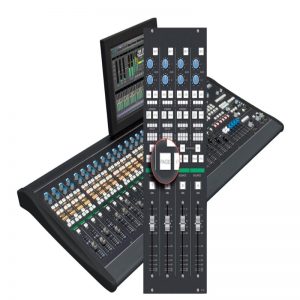
On the surface, operator prompts provide helpful instructions for guiding you through function changes in order to fast-track live productions. Per-channel OLEDs for displaying all relevant editing and operating functions at a glance are customizable to display the data that you expect in certain locations on the console. In addition, all OLEDs across the board can be grouped together in Expanded Mode to present parameters side-by-side for comparison and adjustment. Drill-down interrogation of functions and settings can show sources, levels, and muting or a quick view of the entire mix-minus matrix in one glance, useful for interrogating specific or groups of busses and any sources or outputs associated with them.
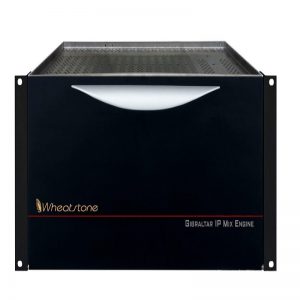
Arcus works with WheatNet-IP, Wheatstone’s award-winning AES67 compatible IP audio network with all the necessary broadcast audio tools and controls integrated into one robust, distributed network. WheatNet-IP provides network access to all sources in the network, as well as every destination visible from the console.
Wheatstones top-of-the-line digital mixing console includes AES67 compatibility, touchscreen control, and WheatNet-IP networking for routing and controlling audio anywhere within a TV facility. Available in 16-fader frame sizes on up, the Arcus owes its ease of use to several advances in design and technology not found in other fixed-location audio consoles.
Features
IP networked console
AES67 compatibility
Touchscreen interface (multi-touch) on every meterbridge display screen
OLED displays for editing by the channel, or for side-by-side comparison of settings across the board
IP network access to any source: HD/SDI, AES, MADI, AoIP, Analog or TDM
Flexible I/O layering and profiling of channels
Native IP interface to major production automation systems
Built-in audio clip player
USB interface for Flash drives
Loudness Metering with large LKFS readout and momentary, short-term peak reading and program duration level history display
Pre-configurable with custom combination of sub-mixes, AUX sends, track outputs, and mix-minuses
Offline setup software
Bus-minus (N-1) output for every input channel
Two 5.1 surround master output busses
Two stereo master output busses
Up/down mixing between 5.1 and stereo
Motorized faders, each controlling two mono, stereo or 5.1 sources
Faders can be paged together or separately
Spill function on each fader, allowing each fader to spill out onto adjacent faders
Full digital audio processing on all inputs and major output busses (EQ, comp/limiter, expander/gate, high/low pass filters)
Programmable delay applicable to inputs and outputs
Automatic microphone mixing (AutoMix) for multi-guest panel discussions features variable weighting assignment for each individual speaker
99 show presets for complete recall of console setups
4 programmable soft knobs per input can be assigned any control function on the console
8 fully programmable switches per input for implementing custom routing and switching functions
2 full color OLED displays per input for showing programmable function settings and parameters
4 user presets for programmable controls and on-the-fly recall at the touch of a button
Function Expand feature for mapping EQ, dynamics, AUX and mix-minus functions to physical controls at the touch of a button
Interrogate function for at-a-glance visibility of channel settings and assignments
Full color OLED display above every fader for showing channel status and source names
Layer slide function (with isolate) for working with fader channel numbers greater than the physical fader count